Your Best Lead Is Trying to Book You Right Now. Can They?



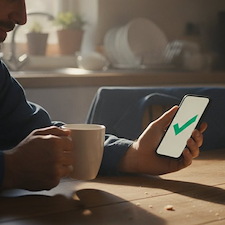
It is 9pm. Someone's water heater just died, and they are standing in a cold garage with their phone in hand, looking at three contractor websites. They are ready to hire someone right now. The question is whether that someone is you.
For most home service businesses, the only way to book a job is a phone call. And a phone call only works when someone is there to answer it. Here is why online booking matters more than most contractors think.
Can Customers Book Your Contractor Services Online?
Yes. Online booking for contractors lets a customer pick a service, date, and time on your website and land the appointment straight on your calendar, even at midnight. It captures jobs while you are off the clock, cuts down on phone tag, and sends automatic reminders so fewer people no-show. For Footbridge clients, this is the booking widget already built into your dashboard forms.
Why Do Contractors Lose Jobs After Hours?
Because the homeowner does not wait.
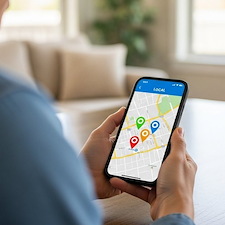
Picture it again. It is 9pm, that water heater is dead, and they are not going to wait until morning to "give you a call." They want it handled now. Two of those websites say "Call us during business hours." Yours might say the same.
The third one has a button that says "Book Now." Guess who gets the job.
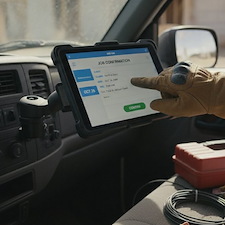
A phone call only works when someone is there to answer it. Nights, weekends, and the middle of a job on a roof are all times that call goes to voicemail.
What Does a Missed Booking Actually Cost You?
A lot more than one job.
Think about the math. If ten people a month land on your site after hours and want to book, and half of them just move on to the next contractor, that is five jobs gone. Not because your work is worse. Because you were asleep and the other guy had a booking button.
Then there is the phone tag. They call, you miss it. You call back, they miss it. Two days go by. By the time you connect, they already hired someone else. You did nothing wrong and you still lost.
And the jobs you do book by phone? Some of them forget. They write the time on a sticky note, lose the note, and are not home when your crew shows up. That is a wasted truck roll and a wasted afternoon.
Missed calls, phone tag, and no-shows are quiet leaks. You do not see the money leave. It just never shows up.
How Does Online Booking for Contractors Fix It?
It gives people a way to book you the second they decide, and it puts that job right where you need it.
Here is how it works in the Footbridge Dashboard. You add a booking widget to a form on your website. A customer picks the service they need, a day, and an open time. When they submit, the appointment drops onto your dashboard calendar on its own. No call. No back and forth. You wake up to a booked job.
A few things make it work in the real world, not just on paper:
- It runs 24/7. The booking button does not sleep, take lunch, or climb a ladder. It catches the 11pm water heater and the Sunday morning "my AC is out" panic.
- Jobs go to the right crew. Each service you offer is tied to a specific team. So an HVAC shop can send repair bookings to one crew and install bookings to another. Nobody has to sort it out by hand.
- You control the calendar. For each service you set how long the job takes, the soonest someone can book, and the furthest out they can book. Want at least two days of lead time on installs? Set it. Do not want people booking four months out? Cap it.
- Reminders go out on their own. The system emails the customer a reminder before the job, 24 hours ahead by default. Fewer forgotten appointments means fewer empty driveways when your truck pulls up. Change the time and the reminder resets, so they always get the right details.
One more thing that keeps you organized. You can tie an invoice to a specific booking, so the job on your calendar and the money for that job stay linked. At tax time, that is a gift.
What Should You Do This Week?
If you are a Footbridge client, the booking widget is already in your dashboard. It just needs to be turned on and placed on your site.
Open a form in your dashboard, add the booking widget, and set up your first service with its team and time window. Then get the form on a page a homeowner actually lands on, like your contact page or a service page. That is where the after-hours jobs are hiding.
Stop making your best customer wait until Monday. Let them book you now.
Want help getting the booking widget live on your site? Send us a request right from your dashboard and we will set it up with you. It is what we are here for.
Frequently Asked Questions
Yes. With online booking on your website, a customer picks a service, date, and time, and the appointment goes straight to your calendar. The Footbridge Dashboard does this with a booking widget you add to any form, and it works around the clock.
Yes, that is the main point. The booking tool runs 24/7, so a homeowner can book a job at night or on the weekend when nobody is in the office. You wake up to the appointment already on your calendar.
It sends the customer an automatic reminder email before the appointment, 24 hours ahead by default. People are far less likely to forget a job when they get a reminder, which means fewer empty driveways and wasted truck rolls.
Yes. Each service is tied to a specific team, so repair bookings can go to one crew and installs to another. You set it once and the system routes each booking for you.
You need a form with the customer name, phone, and email fields marked required, plus at least one office and one team in your settings. If you are a sole proprietor, the team is just you. Then add the booking widget and set up your services.


About Aaron O'Hanlon
Aaron O'Hanlon is the CEO and Co-Founder of Footbridge Media, a digital marketing agency, specializing in the contracting industry. It is his mission to create awareness of marketing online to the home improvement industry and to educate, inform, and assist contractors in taking over their own online presence.