5 Things Your Footbridge Dashboard Does That You're Probably Not Using


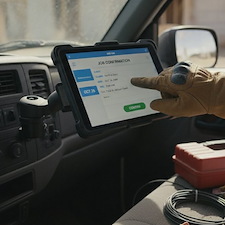
If you're a current Footbridge Media Contractor Marketing program client, you are already paying for your Footbridge Dashboard. Most contractors log in, glance at a lead or two, and log back out - never touching the features that would save them the most time every week.
Let's take a look at five of them.
What Can the Footbridge Dashboard Do That Most Contractors Are Not Using?
Most contractors use a small slice of their Footbridge Dashboard. The five quick wins below take a few minutes each: turn on the customer form fields, filter spam at the field level, put an expiration date on your quotes, let people book from your site, and reply to Google reviews right from the dashboard. None of them cost extra.
Here they are.
1. Use the real customer fields on your forms
A plain "email" text box just stores an answer. The dedicated Customer Email, Name, and Phone fields do more. When someone submits, the dashboard creates or updates a customer in your CRM, and it matches on email so you do not get duplicates. Swap your generic fields for these, and your forms start building your customer list on their own.
If you have been meaning to get more out of the traffic already hitting your site, this is the cheapest place to start. Your forms are the handoff point between a visitor and a customer, and getting to your site is only the first step.
2. Kill spam at the field level
Tired of junk form submissions? You can add a spam filter to a single form field that silently rejects anything containing certain text. The bot never knows, and you never see it. It is the easiest way to clean up your leads without slapping an annoying CAPTCHA on real customers.
3. Put an expiration date on your quotes
When you send a quote, give it a "good through" date. It is a small thing that quietly pushes people to decide instead of sitting on it for a month. Add clear line items and taxes so the customer sees exactly what they are getting, then let that expiration date do the nudging for you.
4. Let customers book straight from your website
Add the booking widget to a form and people can pick a service, date, and time without calling you. The job lands on your dashboard calendar on its own, and the customer gets a reminder email before the appointment. That is after-hours leads you would otherwise miss.
Booking is one of the pieces that separates a site that works from a site that just sits there. It shows up on the list of things you will find on every successful contractor website for a reason.
5. Reply to Google reviews without leaving the dashboard
Connect your Google Business Profile and you can read and reply to your Google reviews right inside the dashboard. No separate login, no hunting around. Set aside ten minutes on Friday to reply to the week's reviews and you will look far more on top of it than the contractor down the road.
BrightLocal's 2026 Local Consumer Review Survey found that 89% of consumers expect a business owner to respond to reviews, and 80% say they are more likely to use a business that responds to all of them.
Ten minutes a week is not a marketing campaign. It is just showing up. If you want to get more reviews coming in to reply to in the first place, we covered that in asking for the review. Google's own guidance on managing customer reviews says the same thing we do - respond, keep it short, keep it professional.
Start with one
Pick the one that fits a headache you have right now. Dealing with spam? Do number two. Missing after-hours calls? Do number four. Each takes a few minutes and pays off every week after.
Not sure how to set one up? Send us a request from your dashboard, and we will walk you through it. It is what we are here for. And if you are reading this and you are not on our contractor marketing program yet, the dashboard comes with it - no contract, no build fee.
Frequently Asked Questions
No. All five are already included with your dashboard for Contractor Marketing PRogram . There is no upgrade to buy and no add-on to turn on. The only thing standing between you and any of them is a few minutes of setup.
Only if you filter on text a real customer would actually type. The filter matches specific words or phrases you choose, so keep it tight to the junk you are actually seeing - links, foreign character sets, or the same sales pitch coming through over and over. Start narrow, watch it for a week, and widen it if you need to.
They can book any time your website is up, which is all of them. You control which service types, days, and time slots are actually available, so a homeowner browsing at 10pm on a Sunday can still claim a Tuesday morning slot. That booking lands on your dashboard calendar without you touching your phone.
Within a week is the realistic target for most contractors. BrightLocal's 2026 survey found 81% of consumers want a response inside seven days, and about a third expect one within 24 hours. A standing ten-minute block on Friday clears the week and keeps you inside that window without it becoming another thing you have to remember.
If you are using the dedicated Customer Email field, nothing bad. The dashboard matches on email address and updates the existing customer record instead of creating a second one. If you are using a plain text box instead, you get two entries and a list that slowly turns into a mess.


About Aaron O'Hanlon
Aaron O'Hanlon is the CEO and Co-Founder of Footbridge Media, a digital marketing agency, specializing in the contracting industry. It is his mission to create awareness of marketing online to the home improvement industry and to educate, inform, and assist contractors in taking over their own online presence.